> ## Documentation Index
> Fetch the complete documentation index at: https://docs.embedreach.com/llms.txt
> Use this file to discover all available pages before exploring further.
# Channel Integrations
> Overview of Channel Integrations
## Introduction
Channel Integrations define the available communication providers and their configurations at the platform level (e.g. the mechanism by which we send emails). These integrations allow you to manage what communication providers they want to use for their tenant.
Please see the API Reference [here](/api-reference/endpoint/get-partner-channel-integrations) for more information.
Currently only email via Reach Managed is supported. SMS + Bring Your Own Provider support is planned for future releases.
## Structure
A channel integration consists of:
* **Status**: Can be either `active` or `deactivated`
* **Channel Provider**: The provider of the communication service (currently only `reach_managed` is supported)
* **Channel Type**: The type of communication channel (currently only `email` is supported)
## Available Providers
### Reach Managed
Reach Managed is our default email provider and currently the only provider supported. You can optionally bring your own DNS provider such as [Route53](#route53)
#### Route53
Reach supports bringing your own domain with Route53. To achieve this, we use [cross account IAM permissions](https://docs.aws.amazon.com/IAM/latest/UserGuide/access_policies-cross-account-resource-access.html) with minimally scoped permissions.
Specifically, to integrate with Route53 we will need the following information:
* **AWS Account ID**: Your AWS account ID
* **Role ARN**: The ARN of the role that Reach will assume to access Route53
* **Hosted Zone ID**: The ID of the hosted zone that Reach will access
* **Base Domain**: The base domain that Reach will access
You will need to configure the IAM role with the following permissions:
```json theme={null}
{
"Version": "2012-10-17",
"Statement": [
{
"Effect": "Allow",
"Action": [
"route53:ChangeResourceRecordSets",
],
"Resource": "arn:aws:route53:::hostedzone/*" // If possible specific the hosted zone id instead of the wildcard
},
{
"Effect": "Allow",
"Action": [
"route53:ListResourceRecordSets"
],
"Resource": "arn:aws:route53:::hostedzone/*"
}
]
}
```
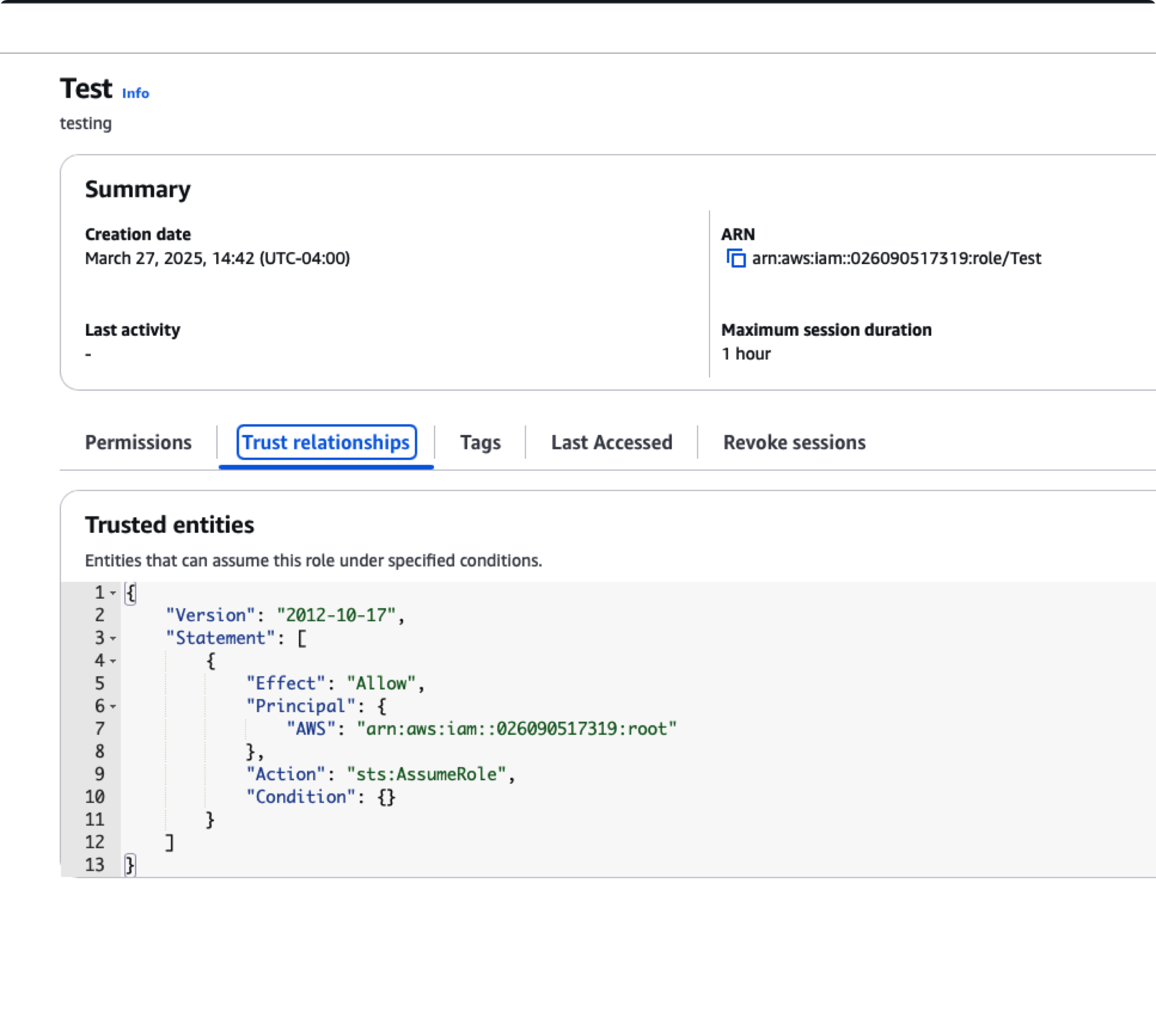
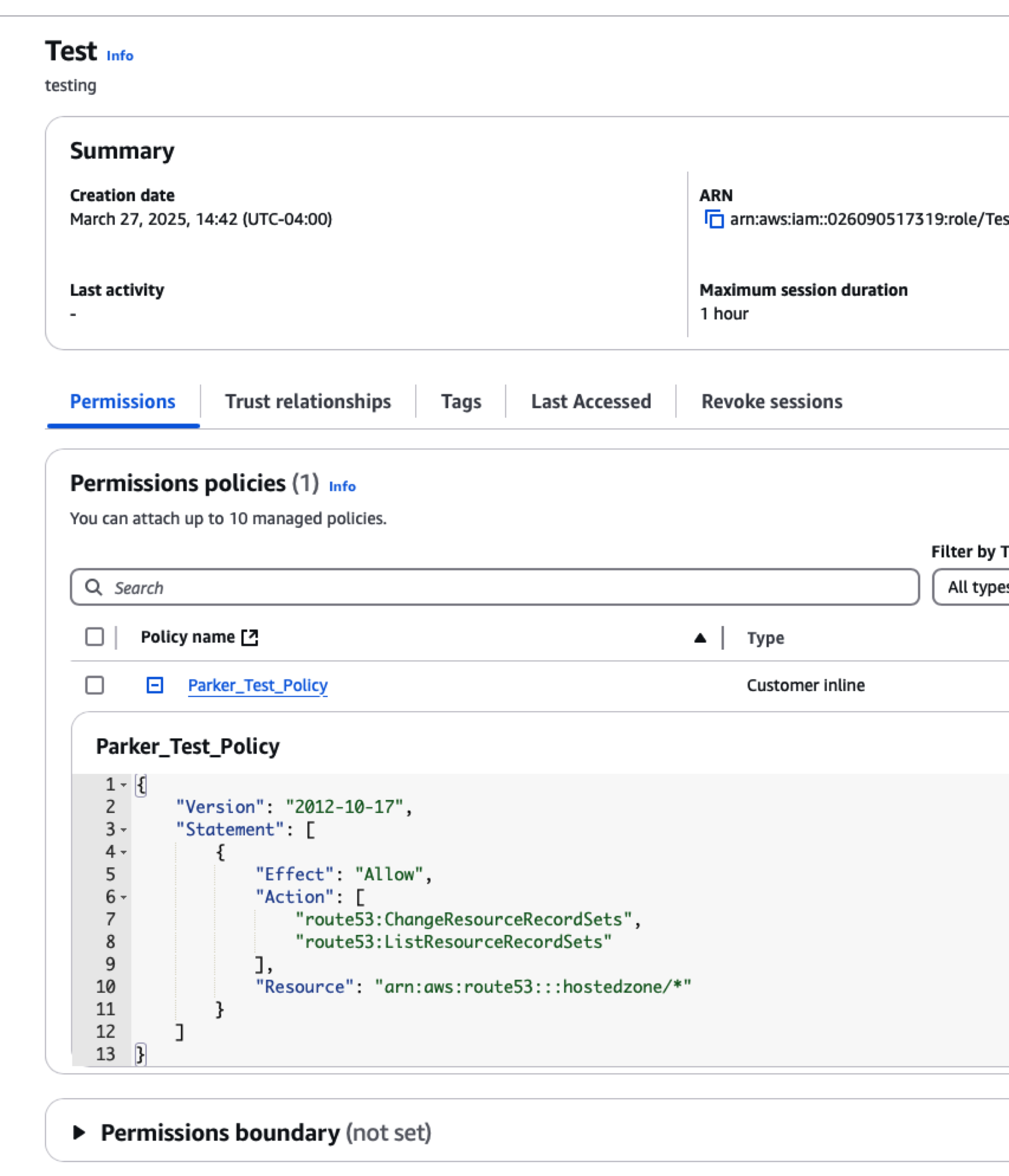 And the following assume role policy:
```json theme={null}
{
"Version": "2012-10-17",
"Statement": [
{
"Effect": "Allow",
"Principal": {
"AWS": "arn:aws:iam::026090517319:root" // This grants access to the Reach AWS account (not root access)
},
"Action": "sts:AssumeRole"
}
]
}
```
And the following assume role policy:
```json theme={null}
{
"Version": "2012-10-17",
"Statement": [
{
"Effect": "Allow",
"Principal": {
"AWS": "arn:aws:iam::026090517319:root" // This grants access to the Reach AWS account (not root access)
},
"Action": "sts:AssumeRole"
}
]
}
```
 Now you can call the [Create Channel Integration](/api-reference/endpoint/post-partner-channel-integrations) endpoint to integrate with Route53, for example you can use the following payload:
```json theme={null}
{
"channel_provider": "reach-managed",
"channel_integration_type": "email",
"channel_integration_metadata": {
"type": "reach-managed",
"customDomain": true,
"awsCustomDomainInfo": {
"awsAccountId": "026090517319",
"roleArn": "arn:aws:iam::026090517319:role/ReachRoute53Role",
"hostedZoneId": "Z01234567890123456789",
"baseDomain": "example.com"
}
}
}
```
### Twilio
Twilio is a popular SMS provider that we support. To integrate with Twilio we will need the following information:
* **Account SID**: Your Twilio account SID
* **API Key SID**: Your Twilio API Key SID
* **API Key Secret**: Your Twilio API Key Secret
You can see [here](https://www.twilio.com/docs/iam/api-keys) for more information on how to get these credentials.
Now you can call the [Create Channel Integration](/api-reference/endpoint/post-partner-channel-integrations) endpoint to integrate with Route53, for example you can use the following payload:
```json theme={null}
{
"channel_provider": "reach-managed",
"channel_integration_type": "email",
"channel_integration_metadata": {
"type": "reach-managed",
"customDomain": true,
"awsCustomDomainInfo": {
"awsAccountId": "026090517319",
"roleArn": "arn:aws:iam::026090517319:role/ReachRoute53Role",
"hostedZoneId": "Z01234567890123456789",
"baseDomain": "example.com"
}
}
}
```
### Twilio
Twilio is a popular SMS provider that we support. To integrate with Twilio we will need the following information:
* **Account SID**: Your Twilio account SID
* **API Key SID**: Your Twilio API Key SID
* **API Key Secret**: Your Twilio API Key Secret
You can see [here](https://www.twilio.com/docs/iam/api-keys) for more information on how to get these credentials.